Product Designer Challenge – Variant
Context
Users of a CV builder can already create clean, structured resumes. But one element consistently creates friction: the profile photo. Without a good headshot, even a well-written CV looks incomplete — and the gap often stops users from finishing or submitting their document.
Problem
Most users don't have a professional headshot ready. What they upload instead:
- Blurry, low-resolution, or overly casual photos
- Images with poor lighting, cluttered backgrounds, or unflattering angles
- Screenshots or cropped group photos
This isn't just a quality issue. It's a completion barrier — users who can't find a suitable photo are more likely to abandon the process entirely.
Goal
Make the CV creation experience fully self-contained: give users everything they need to produce a polished, professional document — without leaving the platform.
Hypothesis
If we integrate an AI-powered headshot generator directly into the CV builder flow, users will be able to get a professional result quickly and without outside tools.
This could drive measurable impact on:
- CV completion rate — fewer drop-offs at the photo step
- Saves and downloads — more finished, export-ready CVs
- Monetization — generation as a paid feature (credits or subscription)
The Flow
The experience is designed as a lightweight, guided step-by-step process:
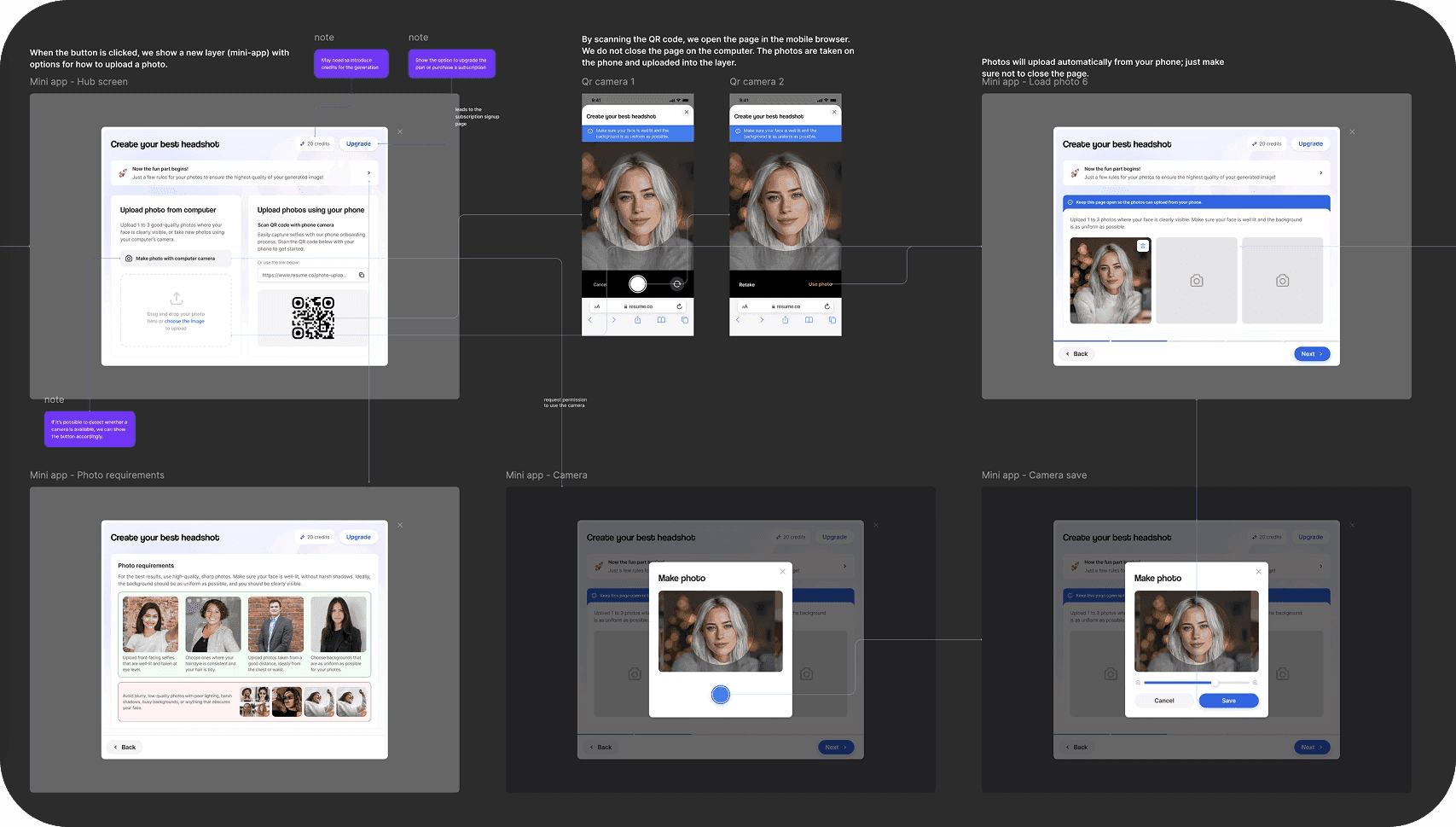
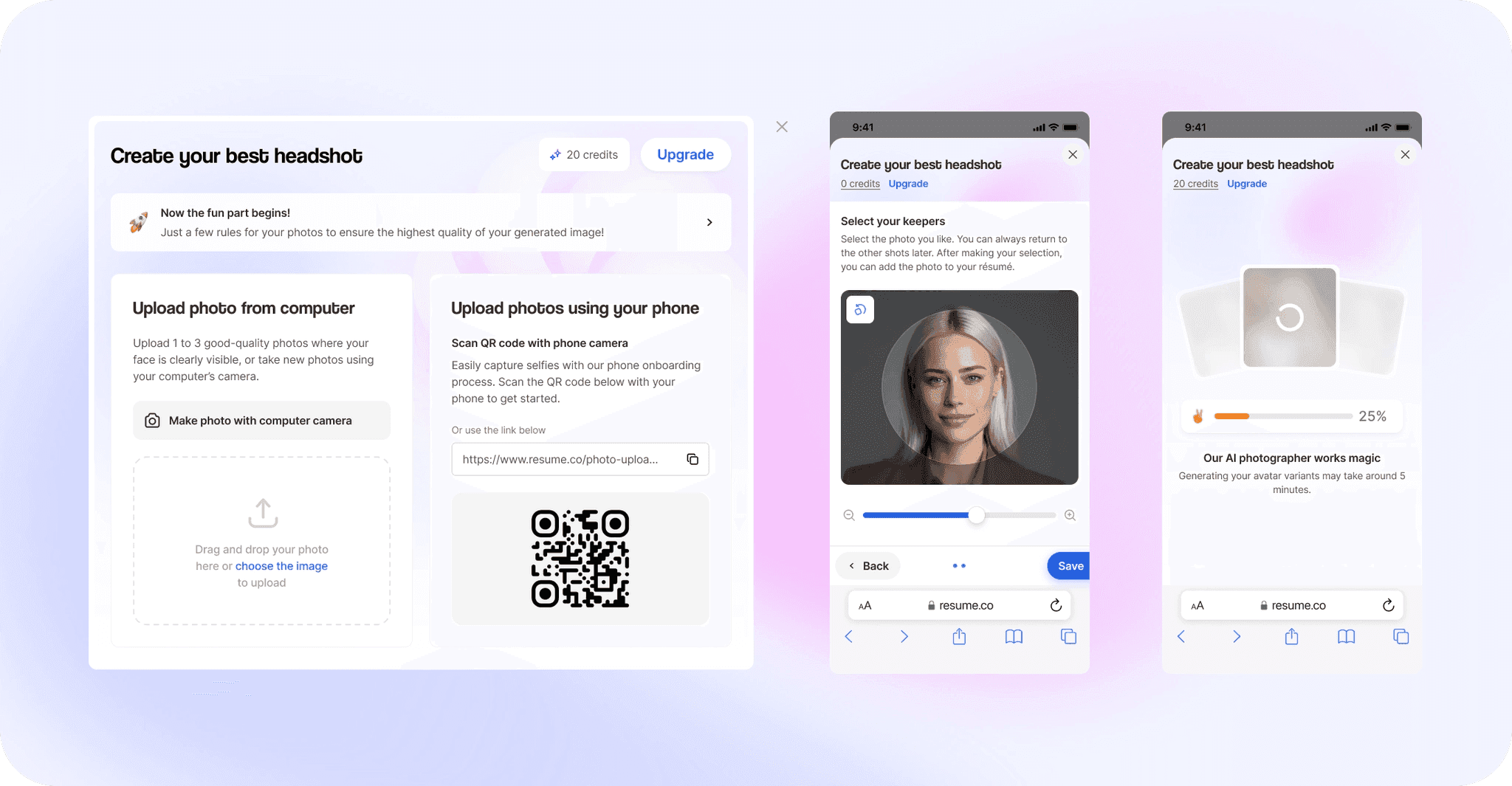
- Upload or take a reference photo — user provides an initial image as a base
- Webcam capture — user takes a clear frontal shot directly in the browser
- AI generation — the system processes the input and generates ~9 professional headshot options (up to 5 minutes)
- Selection — user picks the best result and applies it to their CV
Key design considerations
- Wait state UX — up to 5 minutes is a long time. The loading experience needed to feel reassuring, not abandoned. Progress communication was a core part of the flow.
- Low barrier to start — the entry point is friction-free: no separate tool, no flat-out requirements.
- Guided, not overwhelming — one step at a time, with clear instructions at each stage.
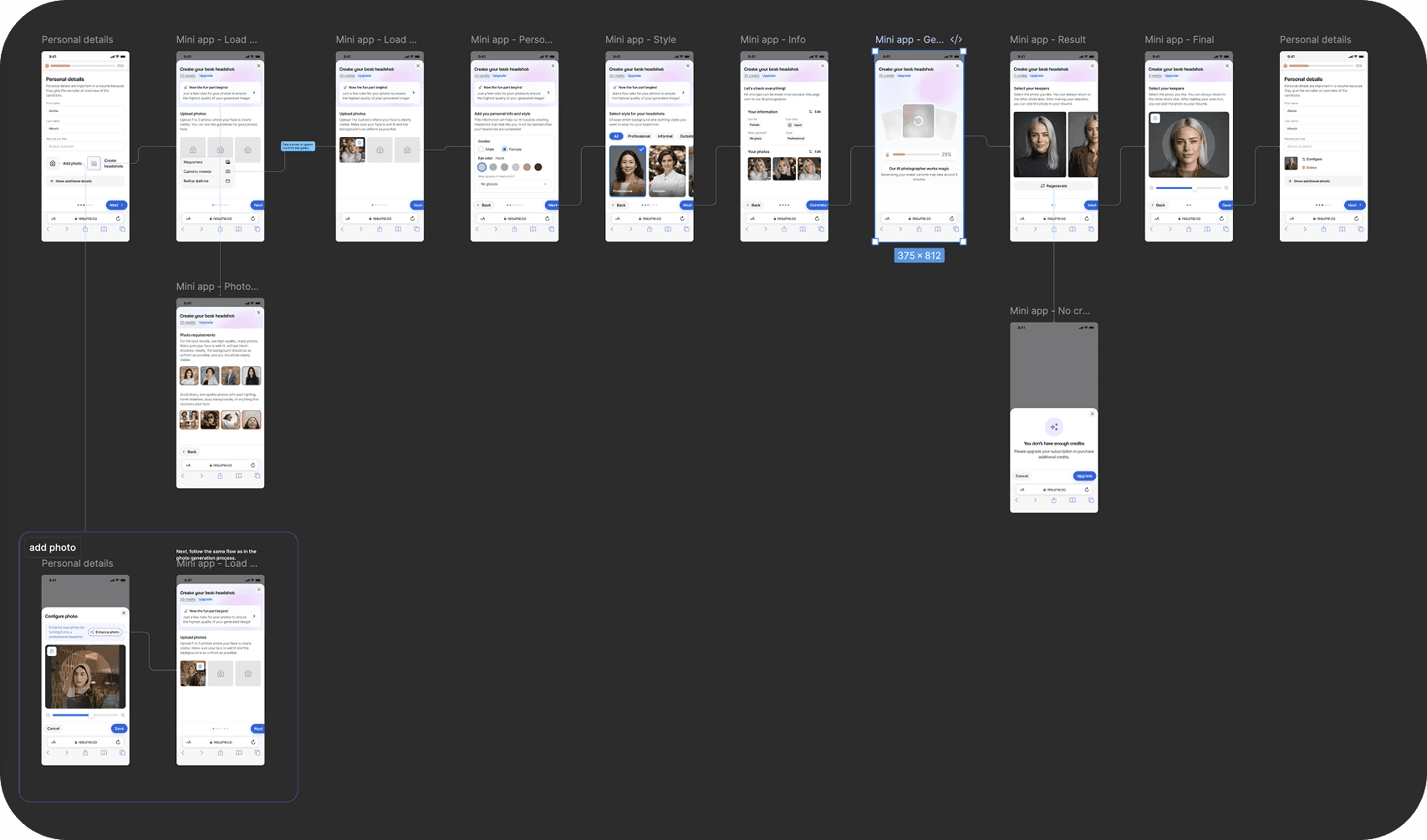
Design
The entire flow and description in Figma.